
Markbook: A report card generator
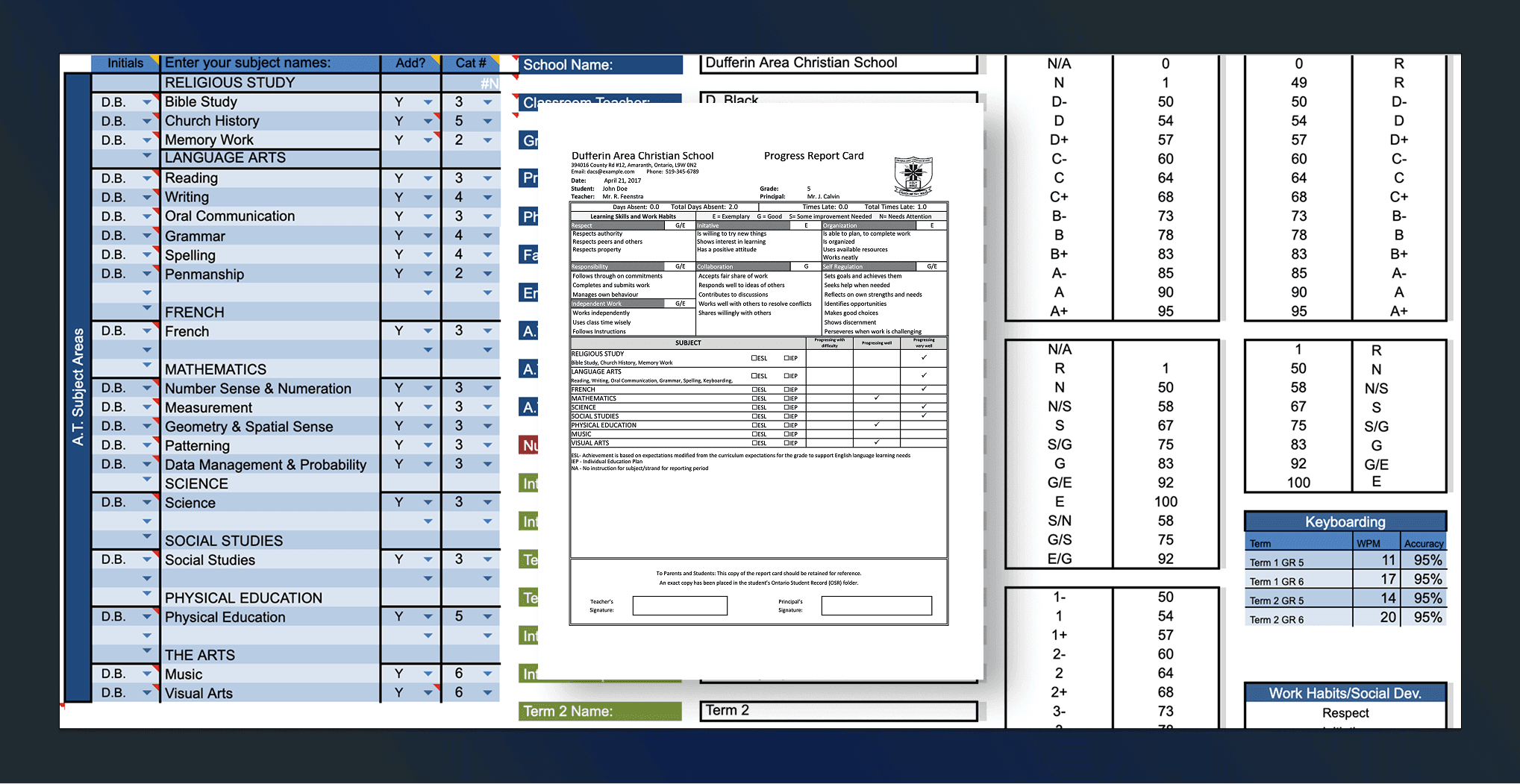
One of the parts of teaching I didn’t particularly enjoy was marking 30 assignments during report card season. Between providing meaningful feedback for each student, preparing lessons for the next day, and finishing reports on time, it always felt like a race against the clock.
Building Markbook
To make things easier, I turned to Excel and Visual Basic to build a tool I called Markbook. It started with a few simple macros, but soon became a system that automatically generated rubrics, tracked marks, and even wrote report card comments.
Here’s how it worked: after grading an assignment with a rubric, I would enter each student’s grade which was converted to a level (1–4). The program would then automatically generate personalized feedback based on the level I defined for that rubric. For example, for a math lesson on rotational symmetry, a Level 4 comment might read:
John Doe was able to rotate quadrilaterals various degrees around a point independently.
When report card time came, those comments were part of each student’s report, giving parents clear insight into why their child received a particular grade.
The Result
What used to take hours of repetitive writing became much more manageable. More importantly, I could spend less time on paperwork and more time doing what mattered most, teaching and supporting my students.